


When severe weather strikes the Greater Houston area, the CenterPoint Energy Outage Map becomes the most visited webpage in the region. Whether it’s a localized transformer issue or a massive hurricane like Beryl, knowing when your lights will come back on is critical for your family’s safety and comfort. However, as many residents have discovered, relying solely on a utility map during a crisis can leave you in the dark—literally and figuratively.
At Nature’s Generator, our team has helped thousands of homeowners transition from grid-dependency to energy independence. A map is a tool for information, but a solar generator is a tool for survival. In this guide, we will answer exactly how to navigate the CenterPoint outage tracker, why the system has faced challenges during major storms, and how you can choose the right backup power solution to ensure you never have to worry about a "pending" status on a map again.
How do I use the CenterPoint Energy Outage Map to track my power status?
Navigating the official CenterPoint Energy Outage Tracker is the first step in managing a power loss. The utility has recently overhauled its system to a cloud-based platform designed to handle higher traffic volumes, which was a significant pain point during previous years.
To use the map effectively, follow these steps:
-
Access the Tool: Visit the official CenterPoint Energy website and navigate to the Outage Center. It is mobile-friendly, which is essential since your home Wi-Fi will likely be down during an outage.
-
Search by Address or Zip Code: You can zoom into your specific neighborhood. The map uses color-coded icons to indicate the scale of the outage:
-
Blue/Green: Small, localized outages affecting fewer than 20 customers.
-
Orange/Red: Larger outages affecting hundreds or thousands of residents.
-
Check the Estimated Time of Restoration (ETR): By clicking on an outage cluster, you can see the ETR. However, our team reminds users that during "Major Outage" events, these times are often listed as Pending until a crew can physically assess the damage.
-
Sign up for Power Alert Service (PAS): Instead of refreshing the map, we recommend enrolling in text or email alerts. This service pushes notifications to your phone regarding the cause of the outage and the progress of the repair crews.
While the map provides a high-level overview, it does not account for the specific needs of your household. For instance, the map might show your power is "Restored," but a blown fuse at your individual drop-line could keep you in the dark. This is where having a reliable power system, such as a Lithium 6000 Power Station, provides the peace of mind that a digital map cannot.

Why did the CenterPoint outage map fail during recent storms like Hurricane Beryl?
One of the most frequent questions we receive from Houston residents is why the outage map often becomes inaccessible or inaccurate during the very moments it is needed most. During Hurricane Beryl and the May 2024 derecho, the sheer volume of users—over 2.1 million customers were affected at once—overwhelmed the legacy tracking systems.
Based on our analysis of the Hurricane Beryl After-Action reports, there were three primary reasons for these failures:
-
Scalability Issues: The previous map was not hosted on a cloud infrastructure capable of scaling to millions of simultaneous pings. This led to the infamous "site timed out" errors.
-
Data Latency: The map relies on "smart meters" to report status. During massive storms, communication towers and network nodes that relay this data can also lose power, creating "blind spots" where the utility doesn't actually know a home is out of power until the customer manually reports it.
-
Complexity of Damage: When thousands of trees fall on distribution lines, a single circuit may have twenty different points of failure. The map might show a crew is working on your circuit, but they may be five miles away clearing a major trunk line while your street remains unpowered.
Customer feedback during these events was clear: the lack of information was as stressful as the lack of power. Many homeowners reported that they waited for days expecting restoration based on map estimates that never materialized. This unpredictability is the primary reason our team advocates for a "Defense in Depth" strategy—using the map for information but relying on solar panels (whether rigid or flexible) and battery storage for actual electricity.
What are the best home backup solutions when the CenterPoint grid fails?
When you realize the grid might be down for days rather than hours, you have several options. Choosing the right one depends on your budget, your power needs, and whether you want to deal with the logistics of fuel.
1. Portable Gas Generators
These are the traditional choice for many in Texas. They offer high output but come with significant drawbacks. You must store fresh gasoline (which disappears from stations quickly before a storm), they are extremely loud, and they produce toxic carbon monoxide, meaning they cannot be used indoors.
2. Standby Whole-Home Generators
Units like Generac are powerful and switch on automatically. However, they are expensive ($10,000–$20,000+), require professional installation, and rely on natural gas lines. If a storm causes a gas leak or a pressure drop in the lines, these units may fail to start.
3. Solar Generator Systems (The Modern Standard)
Solar generators, like the Nature's Generator lineup, have become the preferred choice for residents looking for a clean, silent, and renewable solution. Because they use LiFePO4 or AGM batteries, they can be kept inside your home. They charge from the sun, meaning you don't have to wait in line at a gas station.
How does a Nature’s Generator system provide energy independence during multi-day outages?
Energy independence is about having a system that can replenish itself while the grid is down. During the aftermath of major storms, CenterPoint crews prioritize hospitals and emergency services, meaning residential neighborhoods can wait 7 to 10 days for restoration.
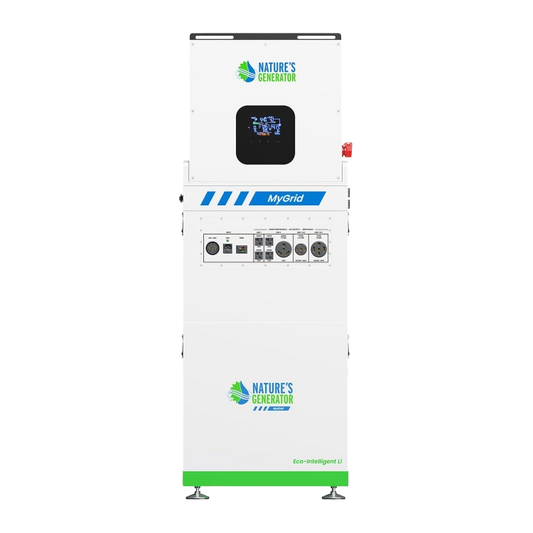
The Powerhouse V2 is designed specifically for these scenarios. Based on our experience, a true backup system needs to handle "Split-Phase" power—the 240V required to run heavy-duty appliances like well pumps or certain HVAC components.
Real-world usage scenario: Imagine a Houston summer outage. The humidity is 90%, and the temperature is 95 degrees. A standard portable power station might charge your phone, but it won't keep your food from spoiling or run a portable AC unit.
-
Day 1: Your Nature's Generator Powerhouse provides 7200W of peak power, keeping your refrigerator running and powering a portable AC in your bedroom so your family can sleep.
-
Day 2: While the CenterPoint map still shows "Assessment in Progress," you deploy your solar panels. By noon, your system is pulling in 2,000W of solar energy, recharging the batteries while simultaneously powering your essential electronics.
-
Day 5: Even if gas stations are closed and the grid is still dark, your home remains a "hub of normalcy." You have lights, internet, and cold food.
We have seen this play out repeatedly. Customers who once felt helpless watching a loading screen on an outage map now feel empowered because they have taken control of their own energy production.
What size backup power system do I need for a Houston home?
Sizing your system correctly is the difference between a minor inconvenience and a total disaster. To determine what you need, you must separate your loads into "Essentials" and "Luxuries."
The "Essential" Load (3,000W – 5,000W)
This includes your refrigerator (approx. 150-200W constant), LED lighting (50W), Wi-Fi router (10W), and a microwave for quick meals (1,000W). Most importantly, it includes a portable AC unit or several high-velocity fans. In Houston, heat exhaustion is a real threat during outages.
The "Whole-Home" Load (7,000W+)
If you want to run your central air conditioning, electric water heater, or well pump, you need a system capable of 240V output. The Nature’s Generator Powerhouse is built for this. It can be integrated directly into your home’s breaker box via a Transfer Switch, allowing you to flip a switch and power entire circuits in your house without running extension cords through windows.
Pro-Tip from our Team: Always aim for 20% more capacity than you think you need. Battery performance can vary based on temperature, and having a "buffer" ensures you don't accidentally trip the system by plugging in a coffee maker while the fridge compressor is running. To extend your runtime, you can add Power Pods to your system, effectively doubling or tripling your stored energy.
Turning Information into Action
The CenterPoint Energy Outage Map is an essential tool for staying informed, but it is not a solution to the problem of a failing grid. As weather events become more frequent and the demand on the Texas electrical infrastructure increases, the responsibility for home resiliency falls on the homeowner.
By understanding how to read the map and recognizing its limitations, you can better prepare your family for the next inevitable "red zone" on the tracker. We recommend moving beyond the wait and see approach. Investing in a Nature’s Generator system ensures that while you might be checking the map for updates, you aren't waiting on them to live your life.


