


AI runs on electricity. A lot of it. Every time someone uses a chatbot, generates an image, or runs an AI application, data centers do the work behind the scenes. These facilities need power around the clock, and demand is growing faster than some electricity grids can comfortably handle.
For homeowners, that raises a practical question: what happens when the grid struggles to keep up?
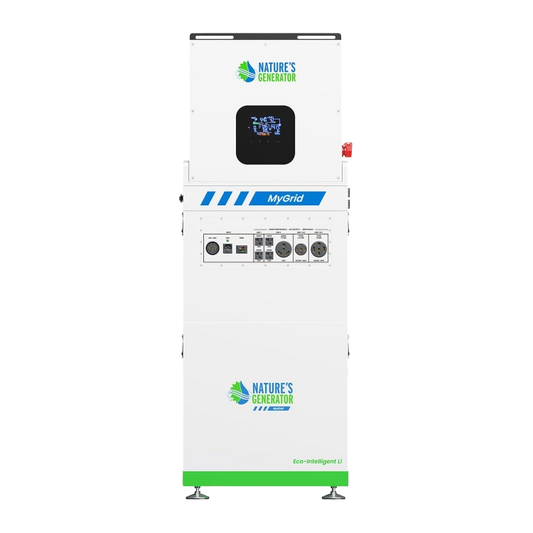
A reliable backup power system can help when the lights go out. A solar power generator offers another way to recharge, while a whole home power generator can support more household appliances. For shorter interruptions, portable backup power may be enough.
At Nature’s Generator, we focus on practical backup solutions for everyday homes. This guide explains how data center growth affects electricity demand, whether it contributes to suburban blackouts, and which backup options make sense for your household.
Why are AI data centers putting pressure on the power grid?
Data centers house servers that process information, store files, and run AI applications. All that equipment consumes electricity and generates heat, requiring additional power for cooling.
Unlike homes that use more electricity at certain times, data centers can operate around the clock. As AI adoption grows, operators need more computing capacity, servers, and cooling.
They're not the only source of rising demand. Electric vehicles, air conditioning, electric heating, and industrial expansion are also putting pressure on electricity networks.
The challenge is that grid infrastructure takes time to upgrade. New power plants, transmission lines, and substations can take years to approve and build. If demand rises before improvements are ready, some regions may have less room to handle unexpected problems.
Living close to a data center doesn't necessarily mean you're more likely to lose power. The impact depends on local grid capacity, how the facility connects to the network, and whether utilities have planned for the additional demand.
For homeowners, the bigger concern is whether the electricity network can deliver enough power when demand peaks.
Are AI data centers actually causing suburban rolling blackouts?
Not necessarily. Growing data center demand can contribute to electricity supply challenges, but it doesn't explain every blackout.
Rolling blackouts are planned interruptions in which utilities temporarily disconnect selected areas to balance electricity supply and demand or protect the wider grid. They're different from outages caused by storms, damaged power lines, or equipment failures.
Data center expansion can worsen existing grid constraints in some regions. However, extreme weather, unexpected power plant shutdowns, and transmission problems can also leave utilities struggling to meet demand.
What warning signs should homeowners watch for?
Pay attention to local utility announcements and regional energy news. Look for:
-
Grid reliability warnings: Requests to reduce electricity use during peak periods.
-
Infrastructure upgrades: New substations or transmission projects to accommodate rising demand.
-
Extreme weather alerts: Heat waves can sharply increase air-conditioning demand.
-
Planned outages: Notices about maintenance or scheduled interruptions.
-
Electricity rate changes: Increases may reflect infrastructure investments, fuel costs, or capacity constraints.
These signs don't guarantee a blackout is coming. They can help you assess local risks and decide whether backup power makes sense.
It's also worth remembering that outages happen for reasons unrelated to AI. A storm or failed transformer can leave your home without electricity just as quickly.
Which backup power system makes sense for your home?
The right system depends on what you need to run, how long an outage might last, and your budget. Keeping phones and internet equipment running requires far less power than operating an air conditioner or multiple household circuits.
|
Backup option |
Best suited for |
Main consideration |
|
Portable power station |
Phones, routers, laptops, and lights |
Limited capacity and output |
|
Solar generator |
Essential appliances with solar recharging |
Sunlight and battery capacity |
|
Expandable battery system |
More appliances and longer backup periods |
Cost and compatibility |
|
Whole-home backup system |
Multiple circuits and larger appliances |
Installation and power requirements |
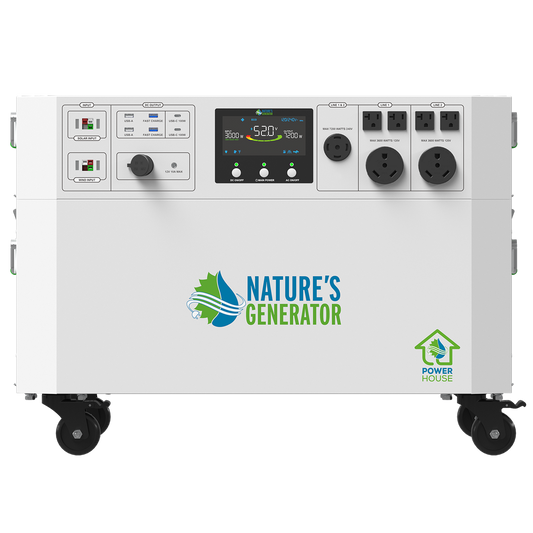
A solar generator typically combines battery storage, an inverter, and a charging method, such as compatible solar panels or AC power. Performance varies significantly between models.
You can keep your home running during an outage with a large battery, a fuel-powered generator, or a mix of both. Each has different installation and maintenance requirements.
Nature’s Generator offers solar-based and portable power solutions for households preparing for outages. Compare usable battery capacity, continuous output, startup surge capacity, charging options, and expansion capabilities before choosing a system.
Figure out which appliances you need to keep running before deciding how big your backup system should be.
How much backup power do you need for essential appliances?
You don't have to keep your whole house powered when the electricity goes out. Keeping the refrigerator, internet router, lights, and phones running is a practical starting point for many households.
Consider this example:
|
Appliance |
Estimated energy use |
|
Refrigerator: 100 W × 8 hours |
800 Wh |
|
Router: 10 W × 8 hours |
80 Wh |
|
Four LED lights: 40 W × 5 hours |
200 Wh |
|
Device charging: 30 W × 2 hours |
60 Wh |
|
Total |
1,140 Wh (1.14 kWh) |
These figures are estimates. Refrigerator consumption varies, and its compressor may draw extra power when starting. Inverter losses also mean some stored energy won't reach your appliances.
Two specifications matter most:
-
Power output, measured in watts: Determines which appliances can run simultaneously and whether the system can handle startup surges.
-
Energy capacity, measured in watt-hours or kilowatt-hours: Determines how long appliances can run before the battery needs recharging.
Air conditioners, electric water heaters, and pumps can consume considerably more power than basic electronics. Check their operating and startup requirements before buying.
List your essential appliances, estimate how many hours you'll use them, and choose a system with enough capacity to cover those needs, allowing for energy losses.
Is a solar generator better than a gas-powered generator?
It depends on your power requirements and how long the outage lasts.
A solar generator stores electricity in a battery and can recharge using compatible solar panels. It operates quietly and produces no exhaust at the point of use, making it useful for selected household appliances and electronics.
A gas-powered generator may be better suited to high-demand appliances or extended outages, provided you have access to fuel and can operate it safely. It must remain outdoors, away from windows and air intakes, because its exhaust contains potentially fatal carbon monoxide.
When does solar backup make sense?
Imagine the electricity goes out during the afternoon. You use your battery to run essential appliances while compatible solar panels collect sunlight and recharge the system.
Charging isn't guaranteed, though. Clouds, shade, panel placement, and available daylight affect energy production. Solar panels also won't meaningfully recharge a battery overnight, so you need enough stored energy to cover nighttime use.
Some families use a battery to run their essential appliances and keep another backup option for outages that last longer.
Visit the Nature’s Generator website to compare available systems and charging options. Check the specifications carefully if you plan to operate appliances with high startup demands.
Can portable backup power get you through a rolling blackout?
For a short outage, often yes. For an entire house during an extended interruption, you'll need a much larger, appropriately configured system.
Consider three situations:
-
A two-hour evening outage: A portable power station may keep your router running, charge phones, and provide lighting. Depending on its capacity, it may also support a refrigerator.
-
An afternoon outage during hot weather: A battery might handle a fan, lights, and communication devices but may not support central air conditioning.
-
Repeated outages over several days: You'll need a way to recharge between interruptions, whether through restored grid power or compatible solar panels.
If you want to connect backup equipment to household circuits, use an approved transfer switch or another code-compliant arrangement installed by a qualified electrician. Never plug a generator into a wall outlet to feed power back into your home's wiring. This can endanger utility workers and damage equipment.
How can you get ready for power outages without spending more than you need to?
Start with your actual needs. You can expand your setup later if necessary.
First, review your area's outage history. Consider how often interruptions occur, how long they last, and whether they coincide with storms or extreme heat.
Next, divide your appliances into three groups:
-
Essential: Critical communication devices and necessary medical equipment.
-
Important: Refrigeration, basic lighting, and devices needed for work.
-
Optional: Nonessential electronics and appliances you can leave switched off.
If you rely on electrically powered medical equipment, consult your healthcare provider about emergency arrangements and verify that your backup system meets the equipment's requirements.
Before buying, check battery capacity, power output, solar compatibility, expansion options, warranty coverage, and installation requirements.
Then test the system. Charge it, connect your intended appliances, and see how long it lasts under realistic conditions. You'll learn more from that test than from a headline capacity number.
If you discover you need longer runtime, adjust your consumption or explore compatible expansion options rather than paying for an oversized system upfront.
Is backup power worth considering as AI demand grows?
AI data centers are adding to electricity demand, but their growth doesn't mean every suburban neighborhood will experience rolling blackouts. Weather, power generation, transmission capacity, and local infrastructure all affect reliability.
What homeowners can control is how prepared they are.
A portable power station may cover short interruptions. A solar generator offers another way to recharge when sunlight is available. Larger battery systems or whole-home backup setups may suit households that need to power more appliances.
The right choice depends on your essential loads, expected outage duration, charging options, and budget.


