


When the lights flicker and the hum of your refrigerator stops, the first thing most homeowners do is reach for their phones. Navigating the Xcel outage map becomes a priority to determine whether you are facing a momentary glitch or a multi-day grid failure. At Nature’s Generator, we know that having the right information is a strong first step in an emergency—but information alone won’t keep your medical devices running or your food cold.
This guide shows you how to use the Xcel Energy tracking system, what steps to take when the grid goes down, and how to move from relying on the grid to running a self-sufficient, solar-powered home. We’ve studied extensive grid performance data to help you go beyond just checking an outage map and start building real energy security.
How to Use the Xcel Outage Map and Prepare for Power Disruptions
- Understanding the Xcel Outage Map
- How to Access and Use the Xcel Energy Outage Map
- Why the Xcel Power Outage Map Is Important
-
Tips: Alternative Solutions to Power Your Home During an Outage

Understanding the Xcel Outage Map
The Xcel power outage map is an interactive digital resource offered by Xcel Energy that visualizes power disruptions across their service areas. Here's a deeper look at its key features:
1. Displays the Number of Affected Customers
The map clearly shows how many customers are currently experiencing outages in any given area. This is helpful for understanding the scale of the disruption—whether it's isolated or widespread.
2. Highlights Affected Areas
The outage map of Xcel Energy uses a color-coded system to visually represent the number of customers affected in different regions. This makes it easy to understand the severity of outages at a glance. Here's what each color typically means:
🟡 Yellow: Fewer than 50 customers affected
🟠 Orange: Between 51 and 500 customers affected
🔴 Red: More than 500 customers affected
⚫ Gray or no color shading: No current outages in that area
By using this visual cue, users can quickly identify high-impact zones versus minor disruptions. You can also zoom in to view detailed neighborhood-level data, making it easier to determine if your specific area is impacted or nearby locations are experiencing interruptions.
3. Provides Estimated Restoration Time
One of the most useful features is the estimated time for power restoration. While not always exact, it gives a good indication of when service might resume.
4. Explain the Cause of the Outage
If available, the map will mention the reason behind the power interruption, such as weather-related issues, technical faults, or scheduled maintenance, so users can better understand what's happening.
5. Live Updates
The data on the map is updated frequently, giving you real-time insight. This helps users make timely decisions, especially in emergency situations.
How to Access and Use the Xcel Energy Outage Map
Accessing and navigating the Xcel Energy outage map is straightforward, even if you're not tech-savvy. The interface is designed to be user-friendly, allowing customers to find real-time information with just a few clicks quickly. Whether you're on a desktop or using the mobile app, you can easily search for your area, view outage details, and track restoration progress. Follow these simple steps to get started:
Step 1: Visit the Official Xcel Energy Website or App
Go to www.xcelenergy.com and navigate to the "Outage & Emergencies" section, or download the Xcel Energy mobile app from the App Store or Google Play.
Step 2: Click on "Outage Map"
This will take you to the interactive map where you can view current outages across Xcel's service areas.
Step 3: Enter Your Location
To get the most relevant information, enter your address or ZIP code into the search bar. This filters the map and shows outage data for your specific area.
Step 4: Monitor Updates and Estimated Restoration Time
The map will display details like how many customers are affected near you, when power is expected to be restored, and any known causes of the outage.
Step 5: Report an Outage
If your power is out but it's not reflected on the map, you can report it directly through the site or app. This helps Xcel Energy respond more effectively.
Why the Xcel Power Outage Map Is Important
Having access to real-time power outage information is more than just a convenience—it’s a critical part of safety and planning. Here's why the Xcel outage map matters:
1. Promotes Transparency
By showing what's going on in your area, the map helps eliminate confusion or frustration during a power outage. Customers can understand the extent of the issue without needing to call support.
2. Improves Emergency Preparedness
If you know when your power might return, you can make better decisions—whether it's preserving food in your fridge, arranging alternate heating or cooling, or checking on elderly family members.
3. Minimizes Downtime for Businesses
Business owners can use this map to manage expectations and communicate with their customers. It also helps in planning for backup solutions during prolonged outages.
4. Encourages Two-Way Communication
Customers can report outages and receive real-time alerts, creating a loop of communication that helps Xcel Energy serve its users more efficiently.
How Can Homeowners Protect Critical Appliances During an Xcel Grid Failure?
When the power goes out, the immediate concern is usually lighting. However, the real danger lies in your high-draw appliances and sensitive electronics.
-
The Danger of "Power Surges": When Xcel restores power, a massive "surge" of electricity can rush back into the lines. This surge can fry the motherboards of smart refrigerators, TVs, and computers. We always suggest unplugging sensitive electronics as soon as the power dies.
-
Food Safety: A standard freezer will keep food safe for about 48 hours if left unopened. A refrigerator is only good for about 4 hours.
-
Medical Devices: For those using CPAP machines or home oxygen concentrators, an outage isn't just an inconvenience—it’s a health risk.
To mitigate these risks, our team recommends a tiered backup strategy. Use a Nature's Generator Elite to keep your refrigerator and essential medical devices running indefinitely via solar charging, ensuring that even if the Xcel map shows a multi-day restoration estimate, your life remains uninterrupted.
Why Are Solar Generators the Preferred Backup Solution Over Gas Generators?
In the past, gas-powered generators were the standard response to Xcel outages. However, based on our real-world usage scenarios, solar generators have become the superior choice for modern homeowners.
|
Feature |
Gas Generators |
Nature’s Generator Solar Systems |
|
Noise Level |
Extremely loud (70-90 dB) |
Silent (0 dB) |
|
Fuel Source |
Requires stored gasoline (dangerous/stale) |
Free, unlimited sunlight |
|
Indoor Use |
Impossible (Carbon Monoxide risk) |
100% safe for indoor use |
|
Maintenance |
Oil changes, spark plugs, carburetors |
Minimal to none |
|
Ease of Use |
Pull-start or electric (often finicky) |
One-button "always-on" operation |
Many of our customers made the switch after realizing that during a widespread Xcel outage, gas stations also lose power. If you can't pump gas, your generator is a paperweight. By installing Solar Panels on your roof or using portable units, you create a closed-loop energy system that doesn't rely on outside supply chains.
What Size Nature’s Generator Do I Need for an Xcel Power Outage?
Choosing the right system depends on what you consider "essential." Our experience shows that most users fall into one of two categories:
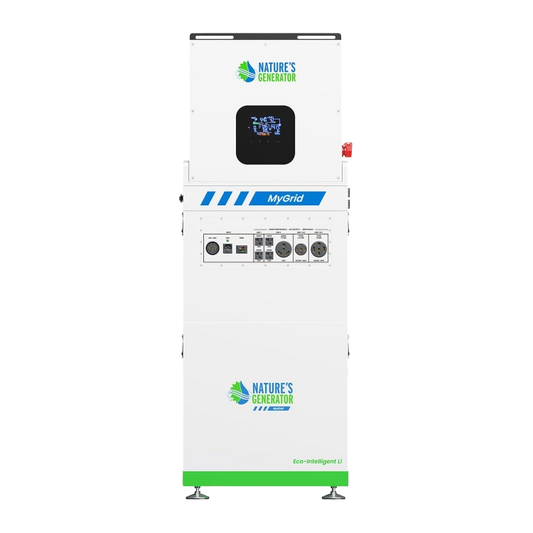
1. The Essential Backup (Nature’s Generator Elite) Ideal for those who want to power the basics. This system can easily handle:
-
Full-sized refrigerator
-
Internet router and laptops
-
LED lighting for 3–4 rooms
-
Phone charging
2. The Whole-Home Backup Solution (Nature’s Generator Powerhouse) For homeowners who don't want to change their lifestyle during an outage. This system is capable of running:
-
Well pumps and sump pumps
-
120V and 240V appliances (like dryers or electric ranges)
-
Central AC units (depending on tonnage)
-
The entire home’s lighting and security system
We recommend the Powerhouse system bundle for anyone in Xcel territories prone to heavy winter storms. When the snow is deep and the Xcel outage map shows widespread red zones, having a 240V-capable system means you can still cook a warm meal and keep your pipes from freezing.
Moving From Tracking Outages to Energy Independence
The Xcel outage map is a useful tool for staying informed, but it is not a solution to the problem of a failing grid. Relying on utility updates means accepting hours or days of darkness, potential food loss, and safety risks. By understanding the causes of these outages and the priority of restoration, you can see why a proactive approach is necessary.
We believe that the best way to deal with a power outage is to never realize it’s happening. With a Nature’s Generator system installed, the transition from grid power to battery backup is seamless and silent. Instead of refreshing a map on your phone, you can continue your day with the peace of mind that comes from true energy independence.


